
This is going to be a long and detailed post. In fact it turned out so long I’m breaking it into multiple parts. I’ve actually never taken the time to completely review a camera, but the LT has compelled me to do so. Maybe it’s just because I found owner reviews for this camera difficult to come by. Ben Meredith and Tobias Mennle (and others) have done a great job of overviewing the camera and the footage. Instead I want to pick out the little details that become important in the long run. This is also not a replacement for getting your hands on the camera. What I hope it does do is show some of the less apparent details that are hard to get a sense of when demoing a camera in a limited amount of time.
I’m by no means claiming to be an expert on this camera. If you have knowledge beyond my observations please let me know!!! I want this to be as accurate as possible and it would be great to learn more about the camera!
I purchased the LT a month ago. I’m of the opinion that most of today’s cameras can produce a pleasing image if you learn their strengths and weaknesses. So for me, the decision to choose a particular camera (especially to own) comes down to the little details. Do I like the layout of the camera, the balance, and the controls? How does the sensor respond to light vs the types of exposures I generally prefer? What’s the workflow like? And most importantly, how does the camera feel on a visceral, gut-reaction level? Needless to say, I responded very well to the Varicam the first time I used it; enough to go out and get one of my own.
I’ve heard (from this forum mostly) that Panasonic is very responsive to user input. Of course I have no idea how exactly I’m supposed to relay that info to them. Maybe through my dealer? Maybe an incredibly long-winded forum post? =-)
Ok without further pre-amble, I’ll dive right in to the most obvious thing:
PHYSICAL DESIGN:
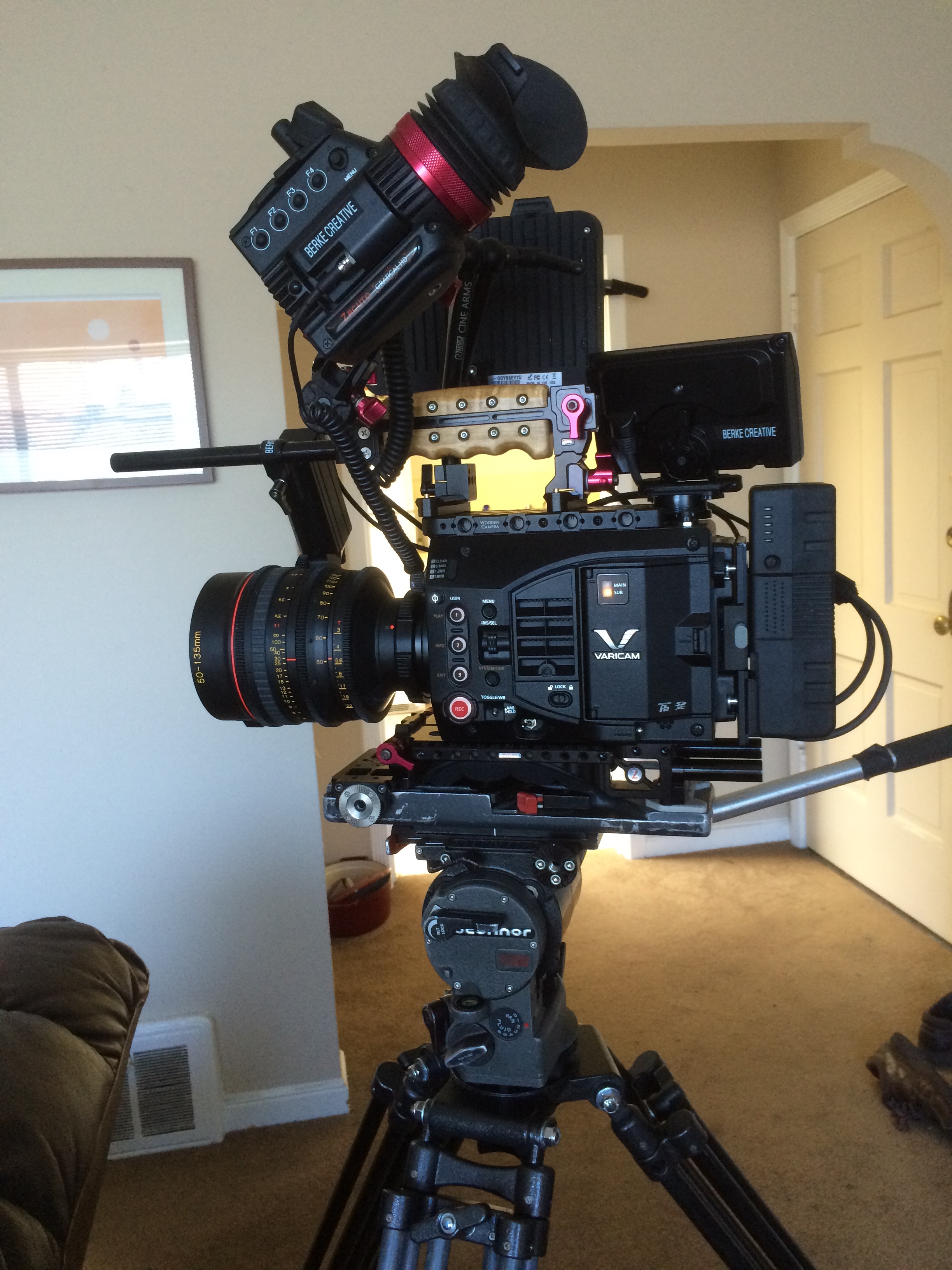
Nicely balanced layout.
The LT is ve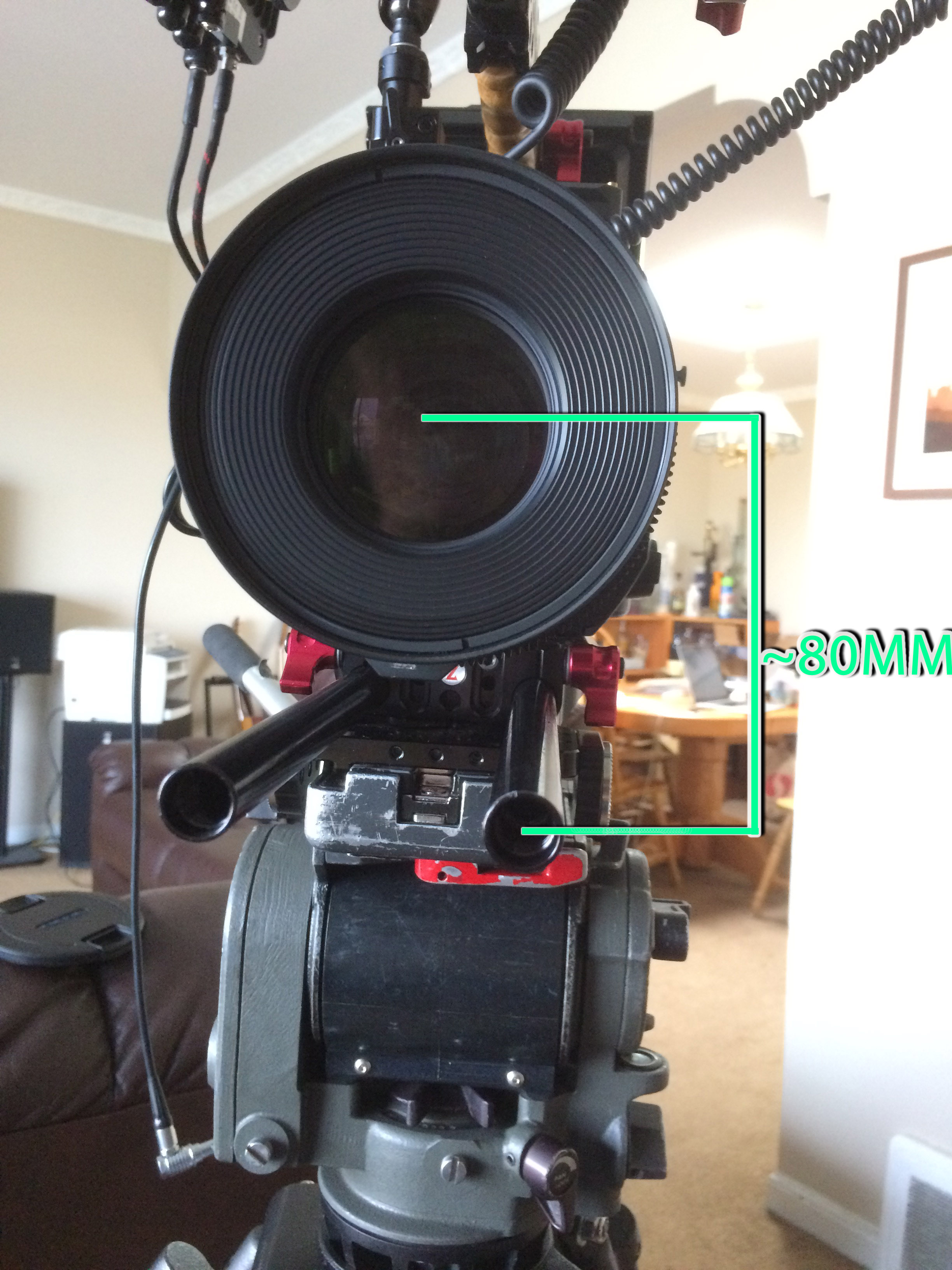 ry nicely balanced. Because it’s a rectangular block, it’s easy to put the shoulder pad exactly underneath the balance point for a rig that can literally sit on the shoulder completely hands free. I already had Zacuto’s VCT baseplate, it works well, but in stock form the rods can only be adjusted to be about 80mm below the lens centerline. It can’t hit the industry standard 85mm. This is problematic on my large barreled zooms. I hope Zacuto’s Pro VCT plate fixes this issue. The Panasonic base plate pushes the rod mount too far forward. For my setup, the pad is almost perfectly centered underneath the balance point. With the Panasonic base plate in the same position, the rod mount would be all the way past the iris and zoom ring, leaving little room for a matte box and follow focus.

Wooden Camera top plate. Zacuto recoil handle. Small Rig Nato rails.
I decided to forgo Panasonic’s top handle in favor of Zacuto’s recoil handle. It’s lower profile, quick releasable, and an elegant mount for the Gratical HD I already owned. I paired it with Wooden Camera’s top plate for Varicam LT and some 10cm Small Rig nato rails. I think a top plate is a must-have for this camera as there are very few mount points on the top of the camera and most of them are metric.
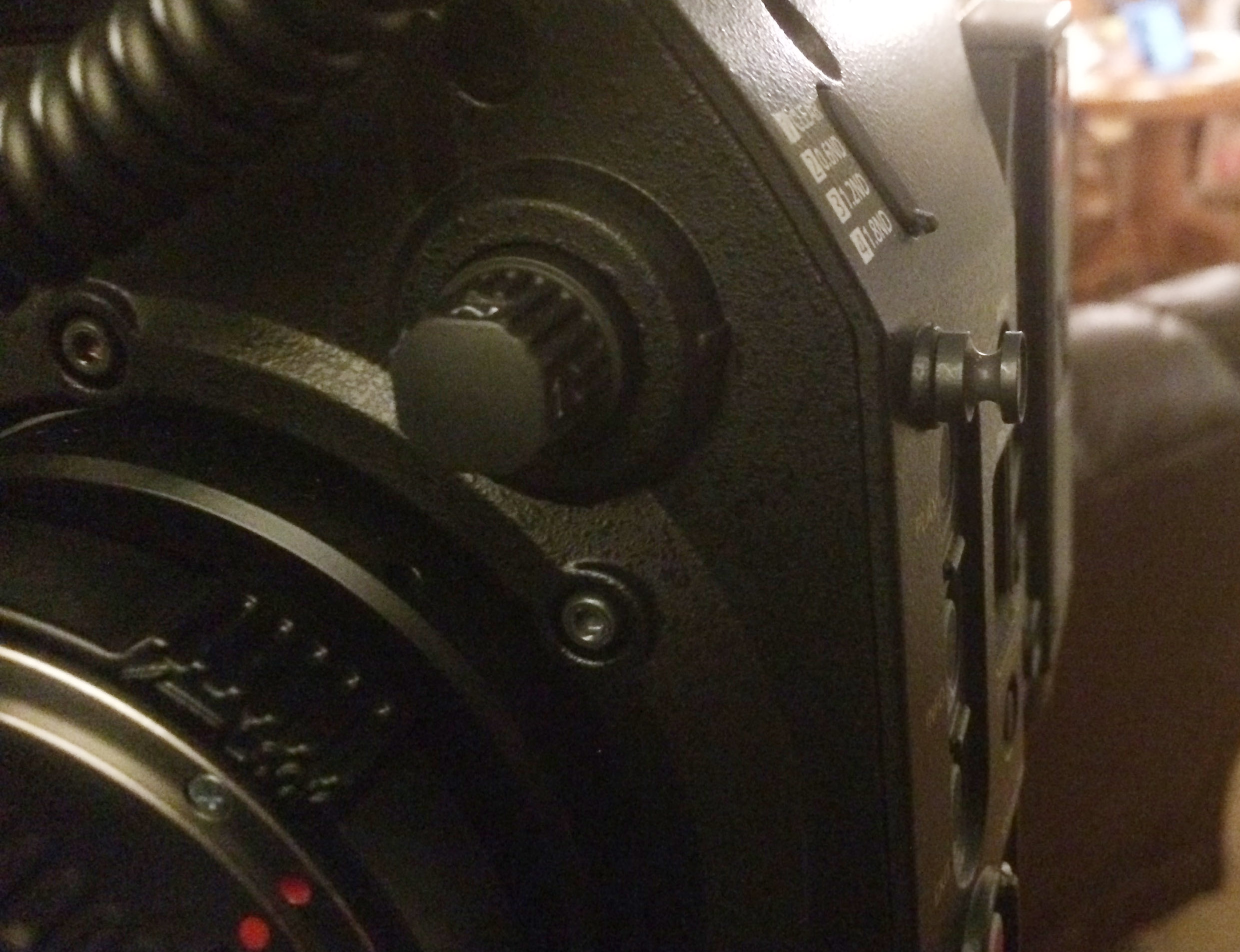
The offending focus hook. Couldn’t they have put it up on the slanted bit?
Shoulder mounted, the camera is very ergonomic…except for the operator side focus hook that will continuously jab you in the face while operating handheld. It literally couldn’t be in a worse spot. I have heard this is safely removable with pliers. Can anyone confirm? It is also a tad on the top-heavy side.
Coming around to the front is a very elegant lens mount system. I picked up the PL mount in addition to the supplied EF mount. Both are beautifully machined pieces. The EF mount twists to provide a positive lock (very similar to the PL mount) which holds my Tokina zooms very securely. They didn’t budge when used with a high torque follow focus motor. Nice. Red features a similar mounting system, but I’m not sure which I like better. With Red cameras you insert the lens and twist, as per usual with an EF mount, then you tighten the positive lock. The LT is just like a PL mount, insert the lens straight up and tighten down the lock. No button lock or twisting is needed.
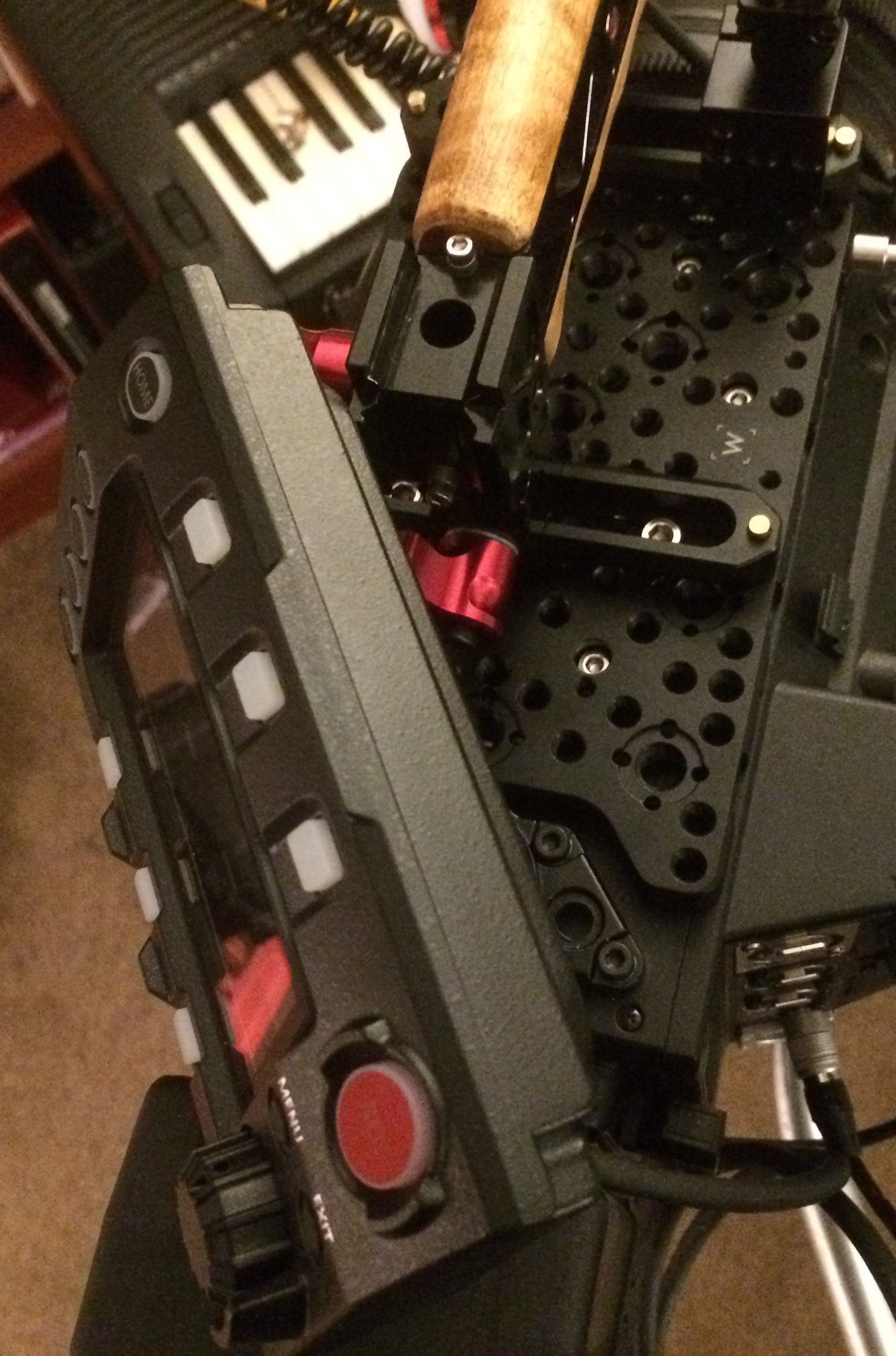
Crowded control panel won’t turn all the way to operator side.
The Control panel has a very nice mount in theory. However it’s a bit loosey-goosy in practice. It kind of flops around a little and would be a pain for steadicam applications. I can’t find a way to adjust tension on it so I think I’m stuck with finding a different sort of mount for it eventually. Also, with the Wooden Camera top plate, I had to use spacers on the mount to get enough clearance to rotate the control panel.
And speaking of rotating the control panel… again it all seems lovely in theory, but once you start loading up the top of your rig with gack, it suddenly becomes difficult to maneuver it around. The fixed cable coming out of the bottom of the control panel doesn’t help. So far, in practice I’ve found it best to either rig for it to stay fixed facing the rear or the dumb side when I have an AC. I think the Varicam 35’s control panel solution is far more elegant. I may just break down and stick it on a magic arm, because you really really want to leave that control panel on there. I’ll get to that.
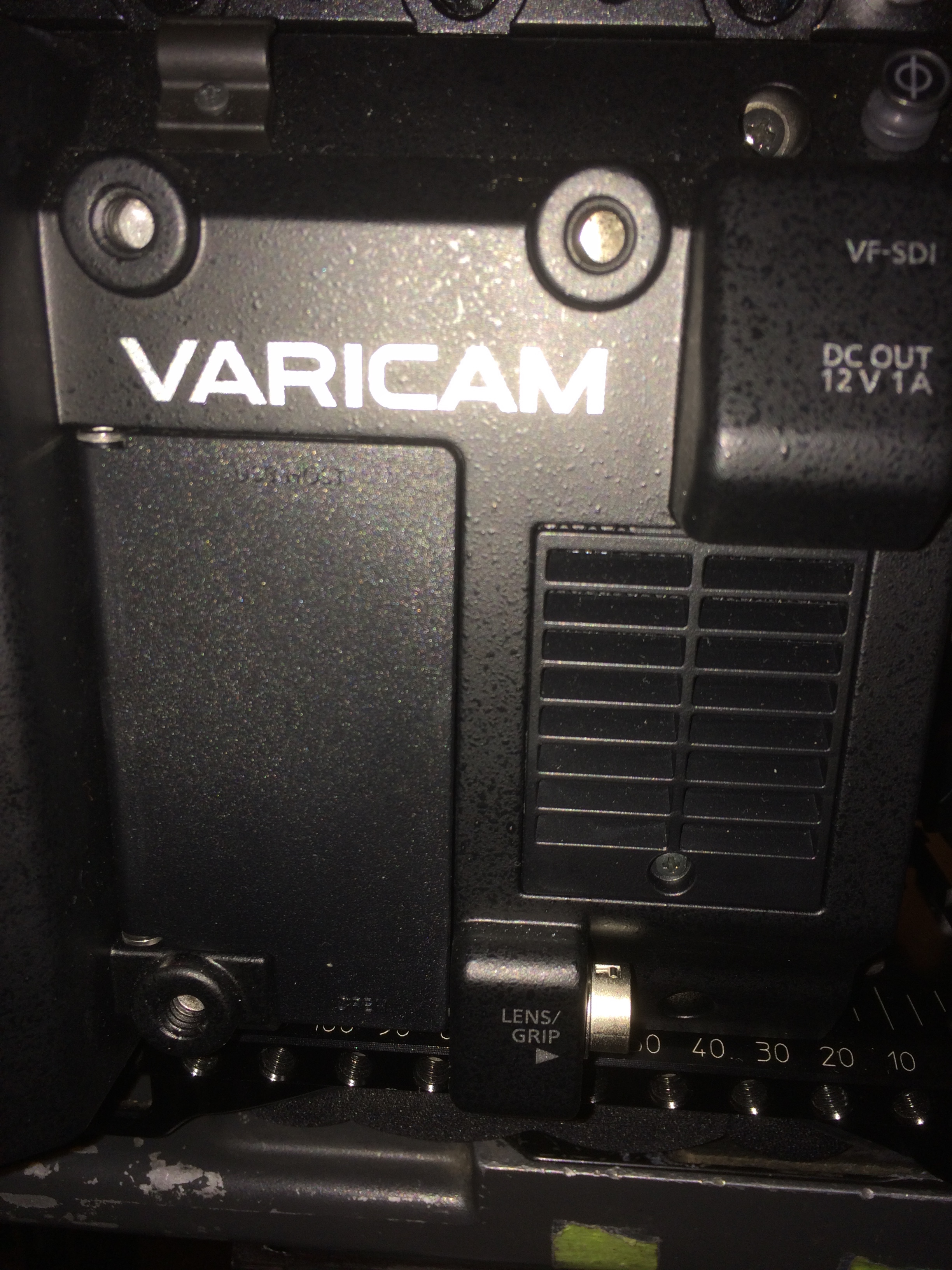
That nice piece of unused real estate? Yeah it’s cheapo plastic. It also pops open with very little effort.
The door for the Wifi USB dongle is plastic. The most obvious place to Velcro an accessory on this camera is the right hand side of the body. Strong Velcro might do some real damage to this door if you’re careless. I think a side plate is going to be in order. Real shame. How much would it have cost to build the wifi in? It’s kind of the same with the P2 card cover, although it feels a little better than the usb door. Flat space is kind of at a premium with this camera.
Otherwise the camera is so well built. But you do seem to pay for it in weight. Rigged as shown, the camera is about 22lbs. And I don’t think that’s an unreasonable amount of stuff to have on it.
The user assignable buttons on the body are good, though I would like a few more. I would have liked to see more dedicated controls on the body (like the white balance select switch). The record button is in-line with the 3 user buttons. I’ve hit the wrong button more times than I care to admit while my eye was at the EVF.
I also will throw my name into the ‘why didn’t Panasonic include audio level pots’ ring. Yes you can assign it to the iris/sel wheel, but I have other plans for that control. I also would have liked to see a record button on the right hand side, or perhaps the front right. AC’s on the dumb side have to use the control panel to hit record.
The handgrip is light, yet feels sturdy and well made. The extendable rosette arm doesn’t feel sturdy enought to hold up the entire weight of the camera (my usual strength test). The grip adds another two user buttons and another wheel. Great! The user 1 button is in the weirdest position. I’m not sure who’s hand that was designed for. Also the cable clips on the grip arm are weak and awkward to use.
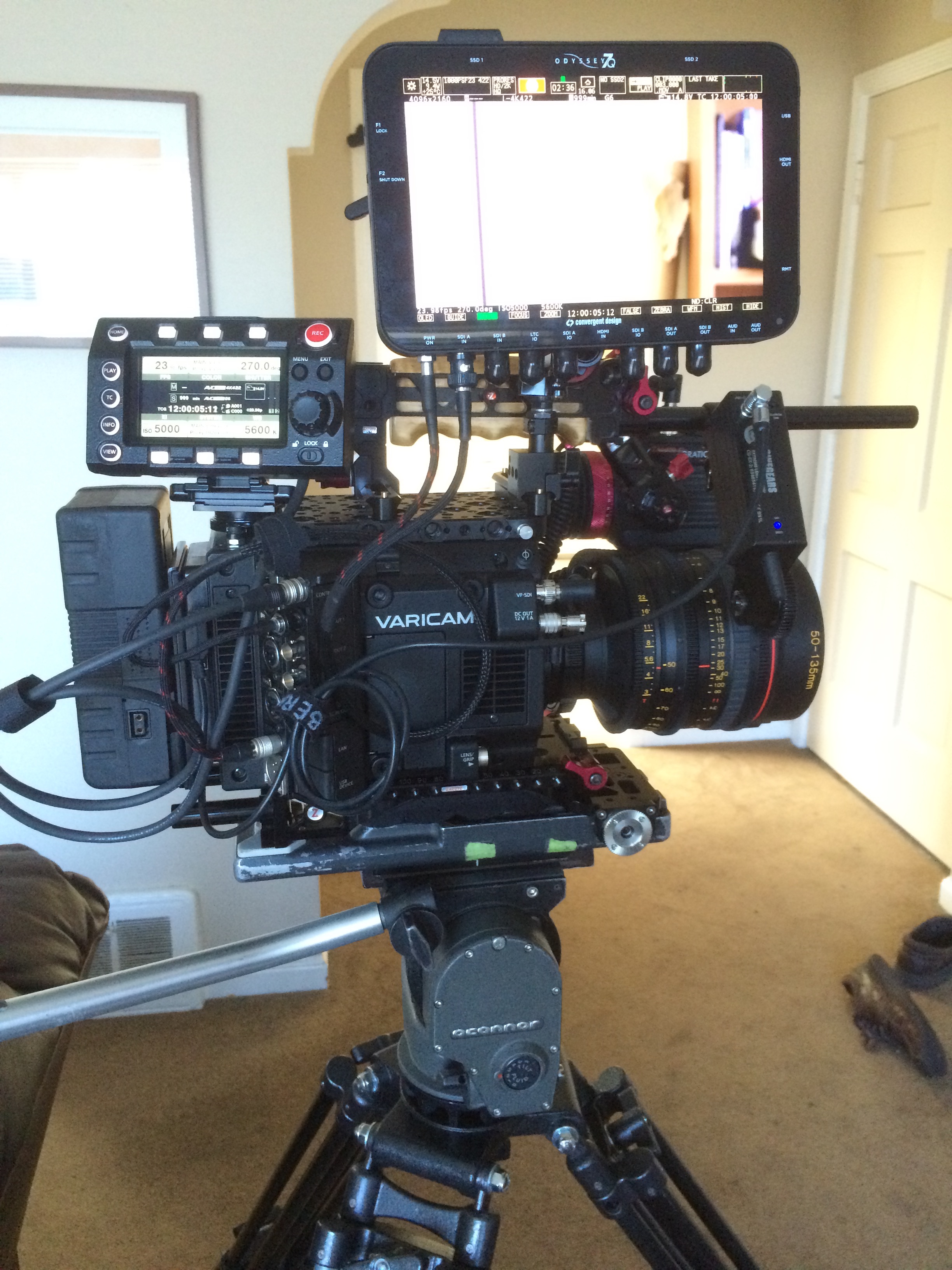
Very minimal spaghetti.
I have to give big kudos to Panasonic for designing one of the fastest and neatest cameras to rig up that I’ve come across. Especially for a smallish bodied camera. Seriously, a monkey could get this camera up and running in 3 minutes or less. But you better add 30 seconds for the Varicam’s boot time.
I applaud the use of Hirose power outputs. Connectors are cheap on Mouser and Panasonic provides a wiring diagram for them in the manual. It was really easy to wire up a custom cable for the viewfinder power and another for the Odyssey.
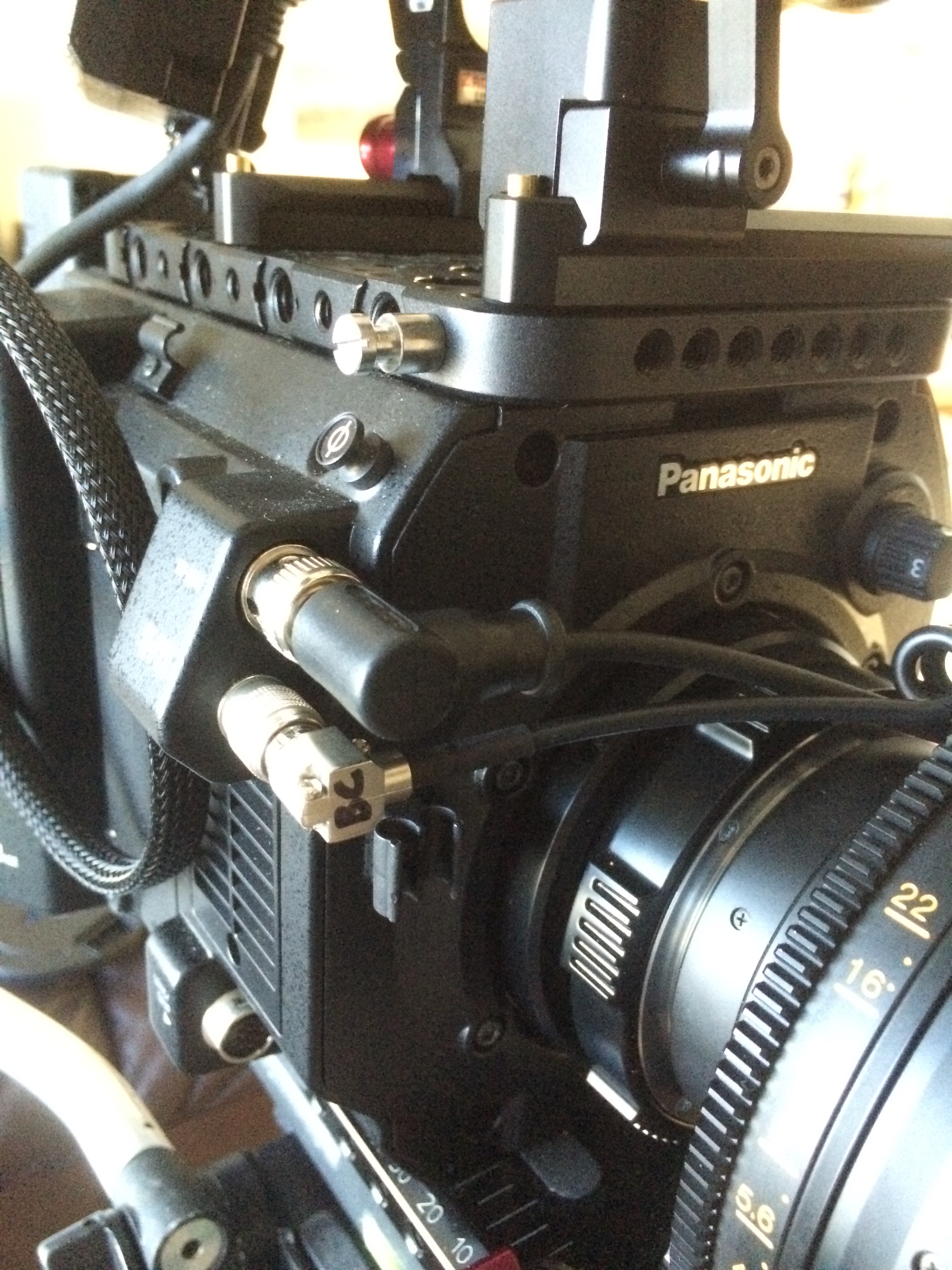
Custom wired right-angle hirose connector from ebay.
I went a step further and wired in a Neutrik Nanocon in the dummy battery for my Gratical HD. This let’s me use the same cables for either the Odyssey or the viewfinder. Talk about redundancy. Add in a d-tap connector on the anton bauer plate to run a wireless transmitter or follow focus and you’re still looking at a very neat, ‘spaghetti’ free package. It would have been nice if the Hirose at the rear had a higher amperage limit (it’s 1 amp), as I am a bit concerned about using the Odyssey in dual SSD raw mode with a 1-amp limit. I’ll probably use the D-Tap connector for Raw recordings.
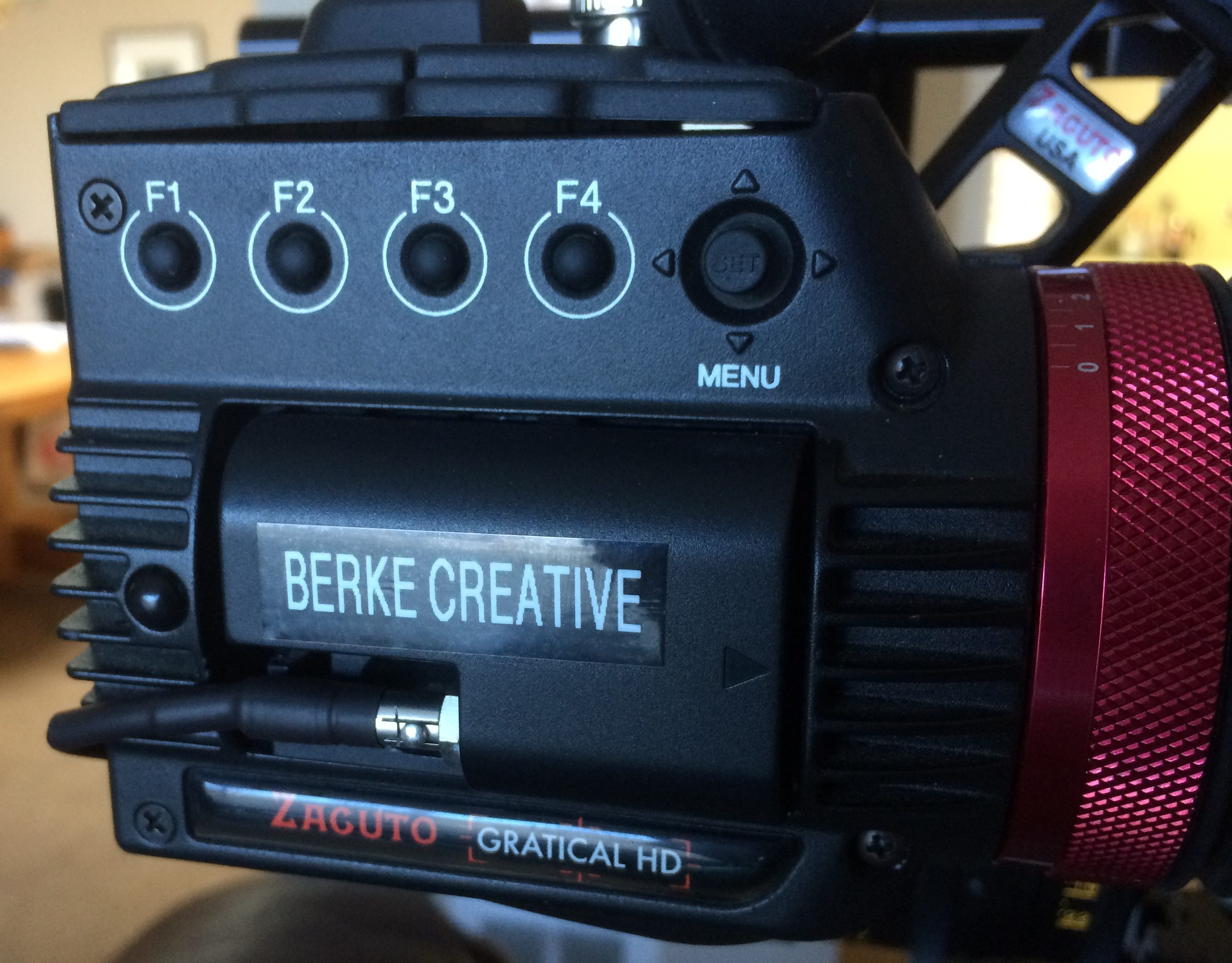
Neutrik Nancon connector in Canon dummy battery. Same power connector as Odyssey 7Q.
Another bonus, the Hirose only outputs power when the camera is on, so your viewfinder and external monitor will also turn off when powering down. There is a switch on the bottom of the Anton Bauer plate that turns ‘auto sensing’ on and off for the d-tap connector. This doesn’t work with the IDX v-mount adapter I’m using.
Record stop/start can also be wired into the back Hirose. But I haven’t figured out what that’s compatible with as far as third party controllers.
Speaking of power, the AC adapter is conspicuously missing with a Varicam purchase. Plan on getting a third party one.
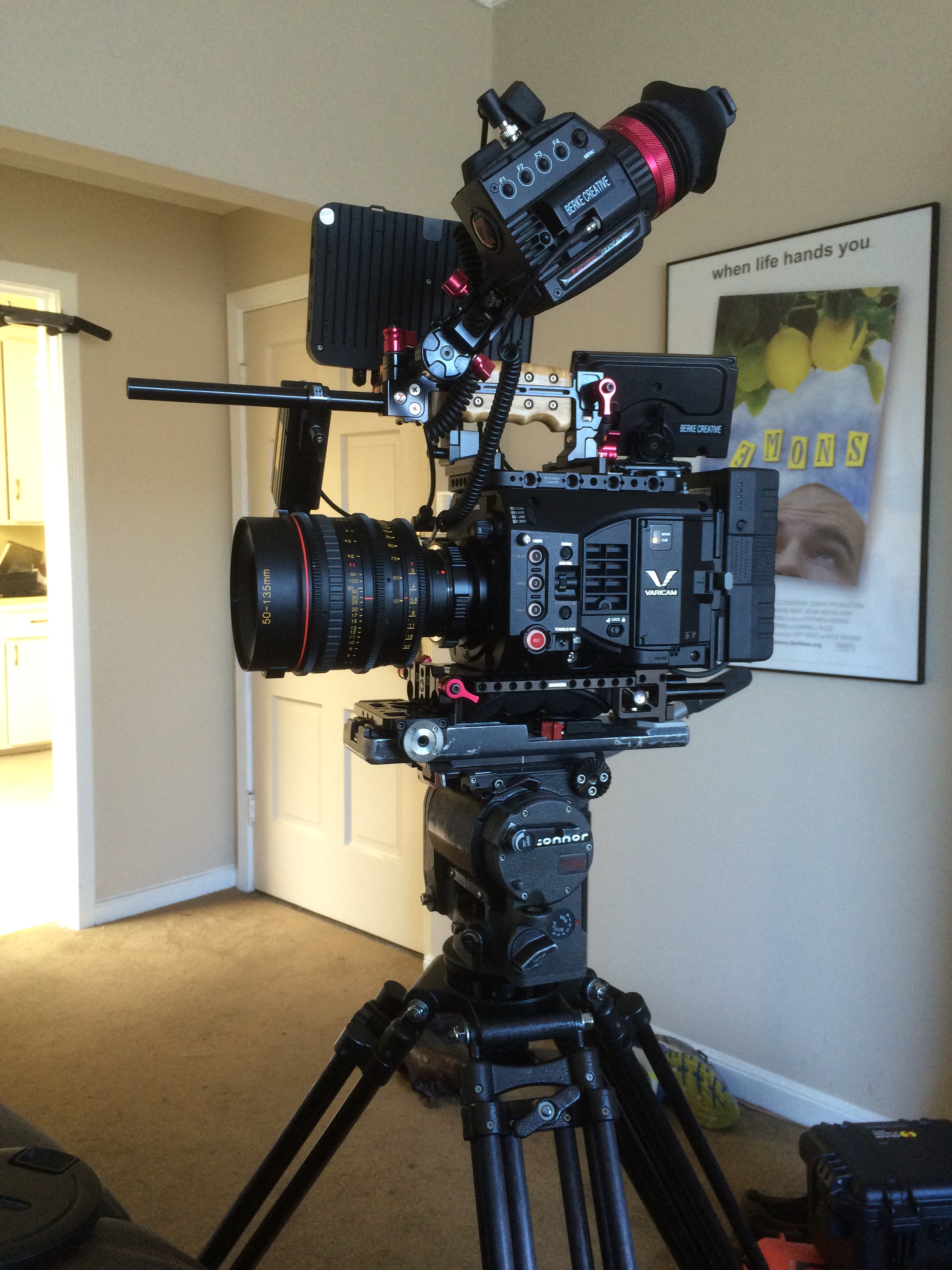
Pretty good looking rig, except for that overlong rod sticking out the front. =-)
The fan is loud enough to be annoying when the camera isn’t rolling, especially handheld. It’s not as bad as Red’s used to be. But it’s not great. It get’s really quiet when you’re rolling. I just wonder what happens if that fan isn’t allowed to run for very long periods of time (say a 1 hour live event). Will that fan start to ramp louder and louder?
I know it sounds like I’m coming down hard on the design. In reality all cameras have their big pluses and minuses. For example the C300 has many of the missing buttons and controls I’m asking for here, but I find it a bit of awkward camera to use, especially if you want to rig it for shoulder mount. The reds, being far more modular tend to be much more complicated to setup. I think you get the idea. I do really love the form factor of the LT, but I want the caveats to be clear. For some these could be deal breakers.